Short answer: most people need none of them. The Air 4 Pro ships with everything required to plug into a phone, a laptop, a Mac, a Steam Deck or an iPad, and the glasses work out of the box with no app and no add-ons.
Accessories only become relevant at the edges — you own a console, you want to charge while you play, you need a screen with no source device at all, or you game somewhere other people can hear you. There are five add-ons, and each one maps to exactly one of those problems. Here is what each does, what it costs, and where the bundles change the maths.
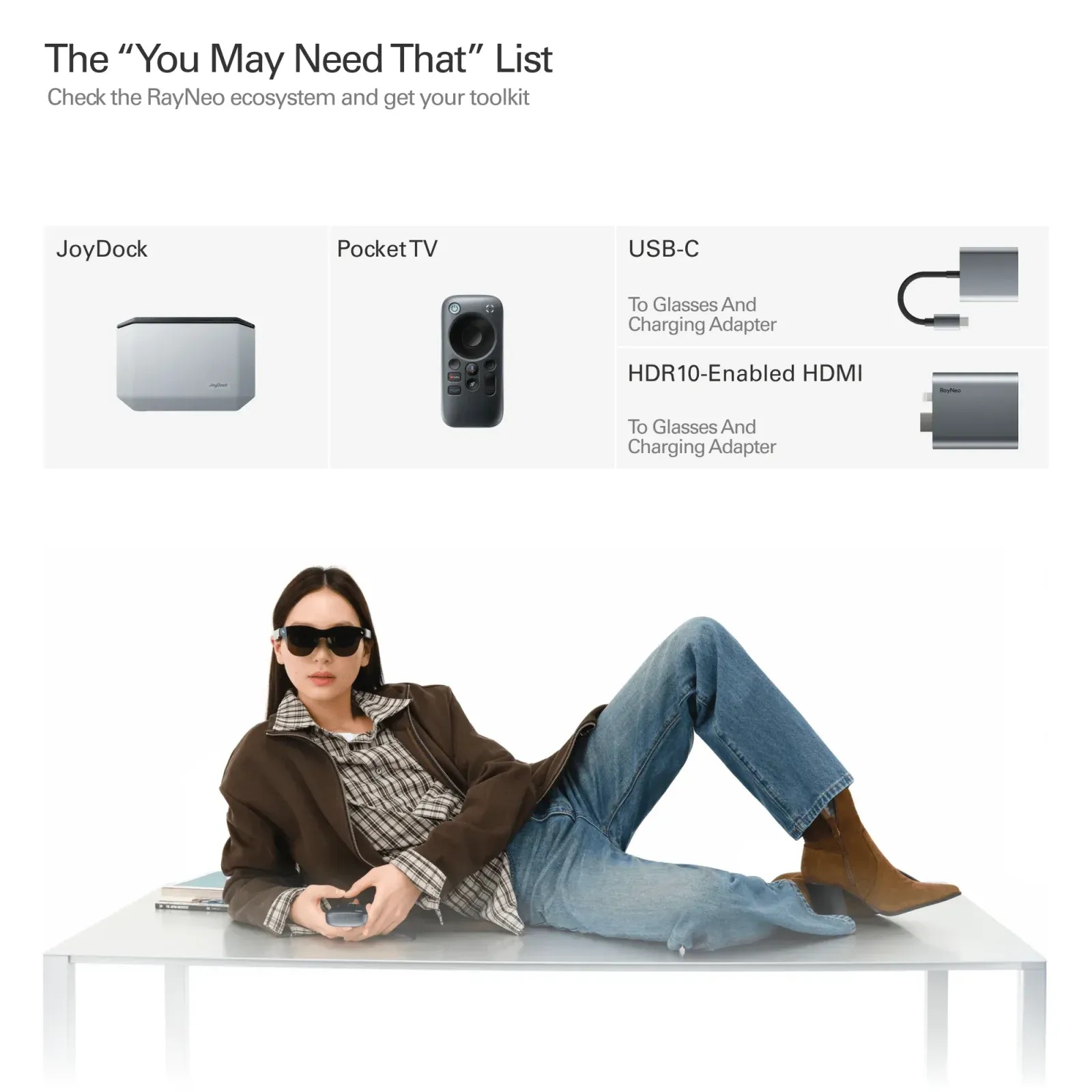 RayNeo’s own accessory list. Note the footnote on the original image: all accessories are sold separately. Image: RayNeo.
What is already in the box
Before buying anything, check what you have. The retail box contains:
- The Air 4 Pro glasses
- A USB-C cable (the one to use — some third-party cables are charge-only)
- A hard carry case
- Two spare nose pads, plus the fitted pair
- A cleaning cloth
- A light shield (blocks ambient light around the lenses)
- A prescription lens frame — you buy only the lenses, not the frame
- A prescription lens sample card
- The manual and warranty card
The prescription frame being included is the detail people miss. It is the single most expensive thing to source separately, and it is free.
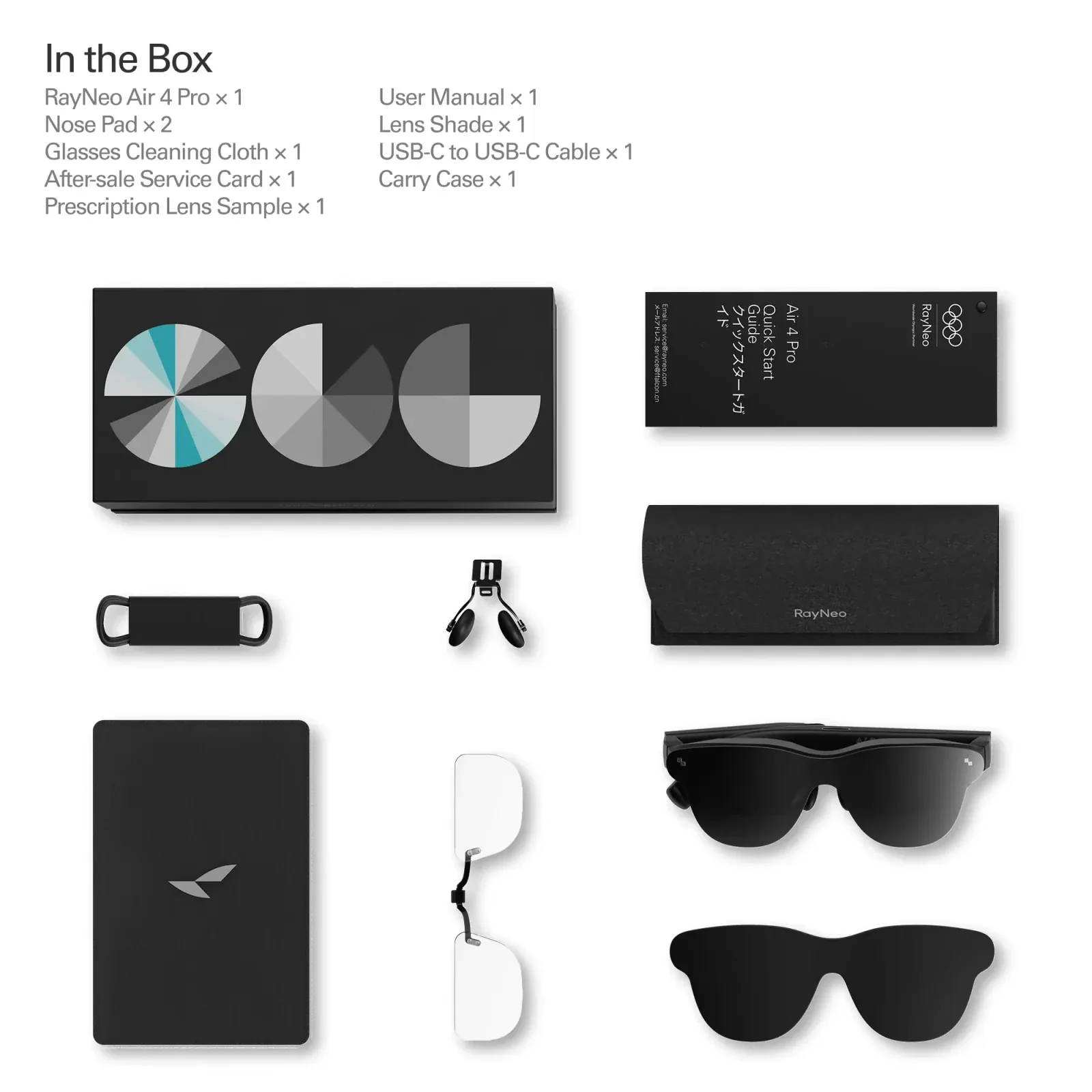 Everything in the box: glasses, spare nose pads, cleaning cloth, light shield, prescription lens frame and sample, USB-C cable, carry case, manual and warranty card. Image: RayNeo.
The accessory map
Prices below are the official RayNeo US store list prices.
| Accessory | Solves | Buy it if | Standalone | With the glasses |
|---|---|---|---|---|
| USB-C Charging Adapter | Charging while watching | Your source device has one USB-C port and you need it back | $35 | $319 |
| HDR10 HDMI Adapter | Consoles and old PCs | You own a PS4/5, Xbox, Switch 1 or a desktop with HDMI | $64 | $339 |
| JoyDock | Power + docking for handhelds | You play Switch 2/1 handheld and want to charge and dock | $89 | $349 |
| Pocket TV | No source device needed | You want a standalone streaming device with no phone | $129 | $379 |
| Sound Tube | Audio leakage | You game or watch on planes, trains or in shared rooms | $15 | — |
Standalone glasses are $299; the limited Batman (Justice) and Joker (Chaos) editions are $319. Every bundle replaces the standalone price rather than adding to it, which is what makes the bundle maths worth doing.
USB-C Adapter — the one you might actually want
The Air 4 Pro has no battery and takes power from its host. On a laptop or a Steam Deck that is fine until you want to charge the host at the same time — and on the Steam Deck, the glasses occupy the only USB-C port there is.
The USB-C adapter sits in-line and adds up to 100 W Power Delivery passthrough, with video at 4K@60Hz. Power goes in from a charger or power bank, video goes through to the glasses, and the host keeps charging. RayNeo’s own compatibility list names the Steam Deck explicitly, which is the device this accessory was really built for.
Buy it if: you watch or play for long sessions on a device with a single port. Skip it if: your device has two USB-C ports, or you already own a USB-C hub with PD passthrough — a generic hub does the same job for less.
It costs $35 on its own, or $319 bundled with the glasses — a $15 saving over buying the two separately.
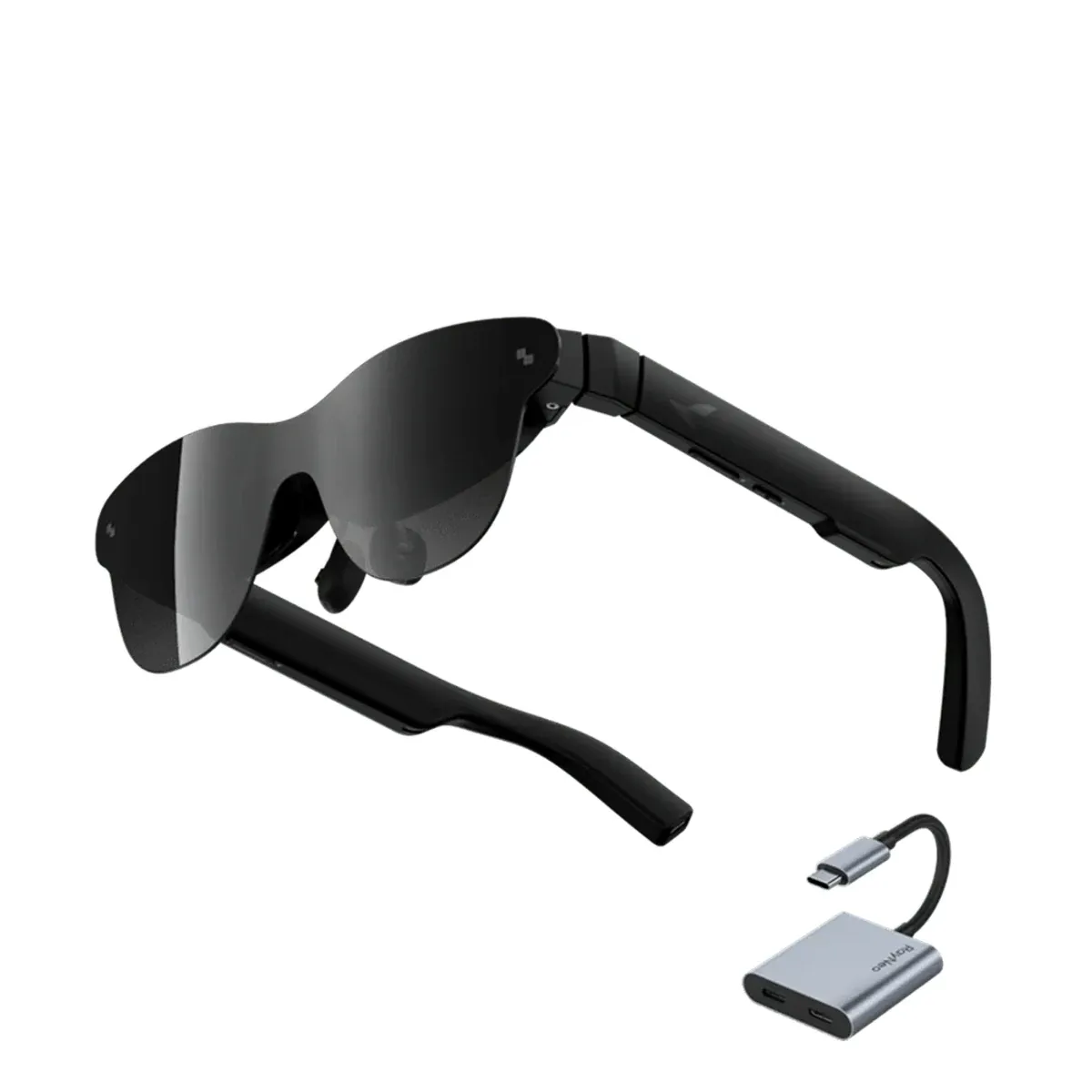 The glasses and the USB-C adapter. The adapter is the in-line part that gives you the port back. Image: RayNeo.
A hub you already own almost certainly covers this. Check for “Power Delivery passthrough” and “DP Alt Mode” in its spec before buying the first-party adapter.
HDR10-Enabled HDMI Adapter — required for consoles
Consoles output HDMI. The Air 4 Pro takes USB-C video. Without an adapter between them, a PlayStation or Xbox simply will not drive the glasses.
The first-party adapter is HDMI 2.0 and, as the name says, passes HDR10 through — which matters, because the Air 4 Pro is the first AR glasses with an HDR10 display and a plain SDR adapter would throw that away. Its published output modes are 4K@30Hz, 2K@30Hz and 1080p@120Hz, and it carries both HDMI and Lightning inputs, so it covers iPhones up to the iPhone 14 and Lightning iPads as well as consoles.
Buy it if: you own a PS4, PS5, Xbox Series X/S, original Switch, or a desktop PC with no USB-C video output. Skip it if: everything you own outputs DisplayPort over USB-C. A phone, a Mac and a Steam Deck need nothing.
Bundled it is $339 against $299 standalone — a $40 premium, which is the cheapest way to add console support to the Air 4 Pro.
Do the arithmetic the other way and it gets more convincing: the adapter alone is $64, so buying glasses and adapter separately comes to $363. The $339 bundle saves you $24 and is the only configuration in which the HDMI path is cheaper than buying the parts.
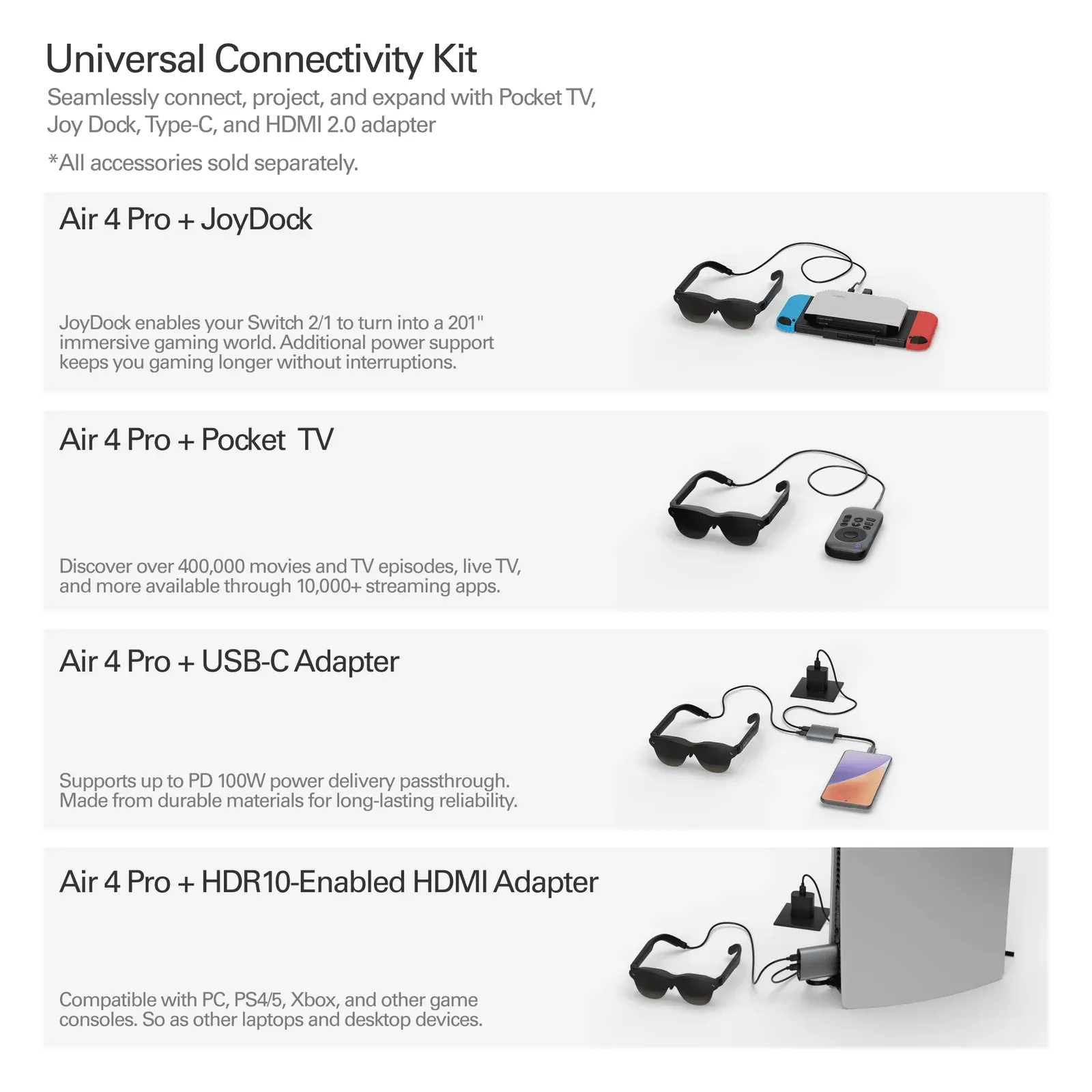 The HDMI adapter covers PC, PS4/5, Xbox and other consoles, and doubles as the path for older laptops and desktops. Image: RayNeo.
JoyDock — for Switch players, not for Steam Deck
The JoyDock is a dock that clips onto a Switch 2 or Switch 1. It does two things: it lets the Switch output video to the glasses, and it supplies additional power so the console does not die mid-session. RayNeo’s own description is explicit that it turns the Switch into “a 201-inch immersive gaming world.”
Here is the part worth knowing before you buy: the JoyDock is shaped around the Switch. It is not a Steam Deck accessory. If you want to charge a Steam Deck while the glasses are connected, a generic USB-C hub with PD passthrough is cheaper, smaller and does exactly the same thing. See the Steam Deck guide for that setup.
Buy it if: you play Switch 2 or Switch 1 handheld and want a single clip-on device that handles video and power. Skip it if: your handheld is a Steam Deck, ROG Ally or Legion Go — buy a hub instead.
At $89 it is the second most expensive accessory, and the $349 bundle saves $39 — the second largest saving in the range. Two details worth knowing: the JoyDock is US and Canada only at the time of writing, and Switch 2 support needs a firmware update plus a separate $15 JoyDock Switch 2 bracket.
Pocket TV — the one that removes your phone
Every other accessory assumes you already have a source device. Pocket TV does not. It is a small Android-based streaming box with its own remote, and it turns the Air 4 Pro into a self-contained television.
RayNeo’s figure is over 400,000 movies and TV episodes across 10,000+ streaming apps, plus live TV. It carries its own 6,500 mAh battery for around 5.5 hours of continuous watching, so it does not drain anything else you own. Plug the Pocket TV into the glasses, connect to Wi-Fi, and you have a private cinema with no phone, no laptop and no cable running to your pocket.
One caveat from RayNeo’s own listing: the Pocket TV is built for RayNeo XR glasses and is not recommended for other brands’ AR glasses.
At $129 standalone it is the most expensive accessory, and it is also the only one that changes what the glasses fundamentally are. The $379 bundle saves $49 — the largest saving RayNeo offers.
Buy it if: you travel and want to watch without draining your phone’s battery or tying up your phone at all. Skip it if: you mostly watch at home, or you are happy mirroring from a phone or tablet — those work already, and iOS DRM restrictions are the main thing to check first (see the streaming guide).
Pocket TV is a standalone device, not a phone companion. It streams independently, which is why it sidesteps the DRM limits that block Netflix on an iPhone’s external display output.
Sound Tube — the cheapest fix that matters most
The Air 4 Pro’s speakers are open-ear, which is why they sound good and also why they leak. Sitting next to someone on a plane, they will hear your film.
The Sound Tube is a small clip-on that routes audio toward your ear canal instead of into the room. RayNeo’s claims: up to 80% less leakage and roughly 15 dB of effective extra volume.
At $15 — or £15 in the UK — it is by far the cheapest accessory and, for anyone who travels, the highest-value one. It is the only add-on here that costs less than a cinema ticket and fixes a problem you will otherwise notice on every flight.
Buy it if: you use the glasses on flights, trains, or anywhere with other people nearby. Skip it if: you only use them at home. Whisper Mode 2.0, the built-in phase-cancellation mode, already covers most of the gap.
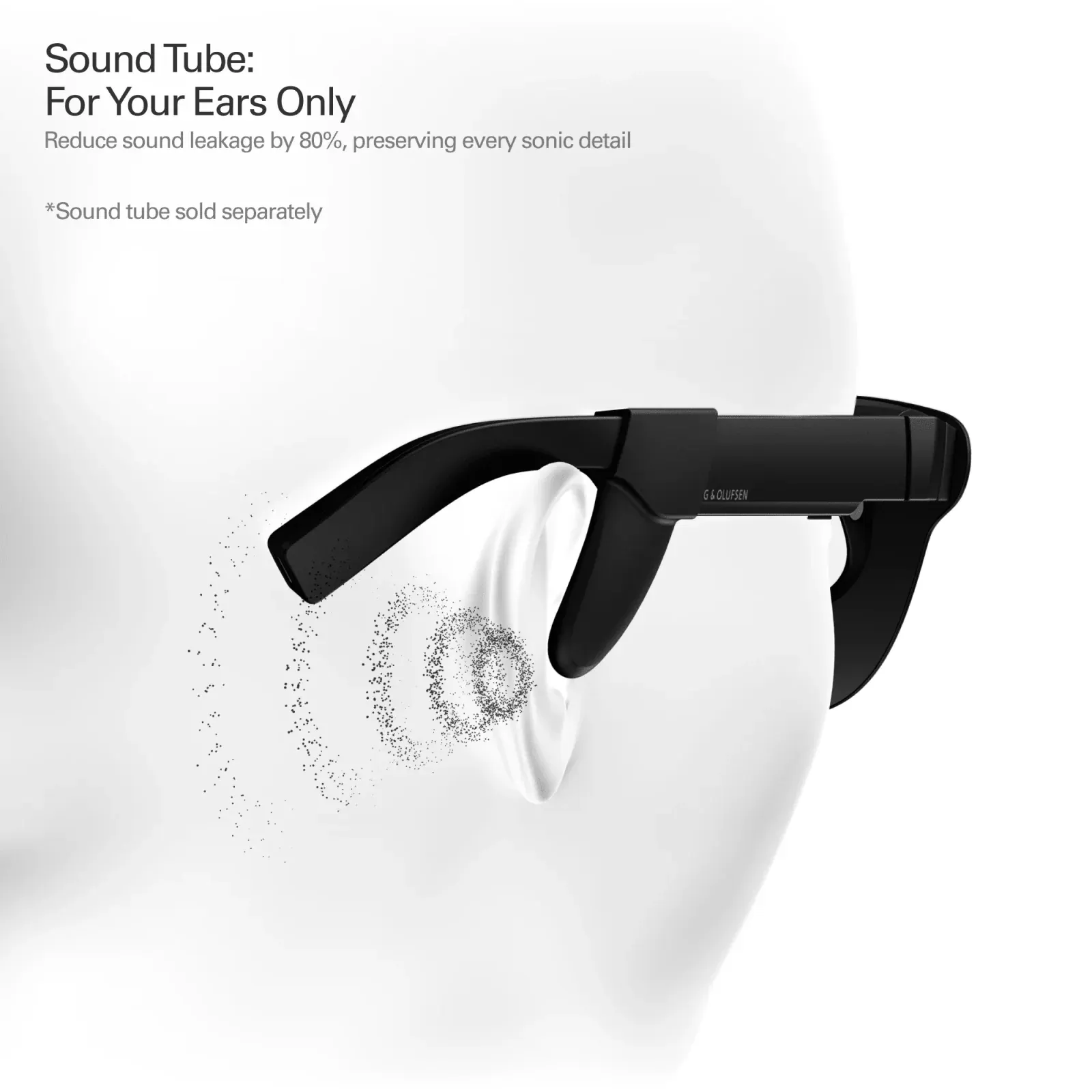 The Sound Tube directs audio at the ear canal rather than the room. Sold separately. Image: RayNeo.
The bundle maths
RayNeo sells each accessory on its own and also as a bundle with the glasses. Because every accessory now has a list price, the comparison is straightforward — and every bundle is cheaper than buying the parts separately:
| Bundle | Glasses + accessory separately | Bundle price | You save |
|---|---|---|---|
| USB-C | $299 + $35 = $334 | $319 | $15 |
| HDMI | $299 + $64 = $363 | $339 | $24 |
| JoyDock | $299 + $89 = $388 | $349 | $39 |
| Pocket TV | $299 + $129 = $428 | $379 | $49 |
The pattern is simple: the more expensive the accessory, the bigger the bundle discount. Pocket TV saves the most in absolute terms; the HDMI bundle is the one most people will actually need.
The useful way to think about it is as a decision about which single problem you have:
| Your situation | Buy |
|---|---|
| Phone, Mac, laptop, Steam Deck only | Glasses alone — $299 |
| Console owner | HDMI bundle — $339 (saves $24) |
| Single-port device, long sessions | USB-C bundle — $319 (saves $15) |
| Switch 2/1 handheld player | JoyDock bundle — $349 (saves $39) |
| No phone or laptop as a source | Pocket TV bundle — $379 (saves $49) |
| Fly often | Add the $15 Sound Tube separately |
One caveat: a bundle only saves you money if you would have bought the accessory anyway. If you own no HDMI device, the $24 you “save” on the HDMI bundle is $40 you spent on an adapter you will never plug in.
Third-party alternatives worth considering
Nothing here is proprietary in a way that locks you out:
- HDMI adapter: any HDMI-to-USB-C adapter that supports DP Alt Mode works, and at $64 the first-party one is not cheap — a third-party equivalent can cost a third as much. The caveats are HDR10 passthrough and 120 Hz support, which cheap adapters often drop.
- USB-C hub: any hub with PD passthrough and DP Alt Mode. Often cheaper and more versatile than the $35 first-party adapter, and it usually adds USB-A ports and an SD reader.
- Power bank: a 100 W USB-C PD bank covers the passthrough requirement with no adapter at all.
- Prescription lenses: the frame is in the box, so you only pay for lenses. RayNeo partners with Lensology in several markets, and any optician can glaze the included frame. See the prescription lens guide.
What you cannot substitute is the Sound Tube — it is a physical fit to the Air 4 Pro’s temple geometry.
What to skip
- The HDMI adapter, if you own no HDMI devices. At $64 standalone it is the most commonly over-bought accessory.
- The JoyDock, if you play on a Steam Deck. A $20 hub covers it.
- Pocket TV, if you already travel with a tablet. The tablet is the source device you already paid for.
- The USB-C adapter, if you own any PD-passthrough hub. Check your drawer first.
FAQ
Do you need to buy anything to use the RayNeo Air 4 Pro?
No. The glasses work with any USB-C device that supports DisplayPort Alt Mode, using the cable in the box. Accessories exist for specific situations — consoles, charging, standalone streaming and audio privacy.
Which accessory is the best value?
The $15 Sound Tube, if you ever use the glasses around other people — it is the cheapest item in the range and it fixes the one drawback of open-ear audio. The HDMI adapter is the best value in a different sense: if you own a console, it is the only thing that makes the glasses usable at all.
How much do the RayNeo Air 4 Pro accessories cost individually?
The official US prices are $35 for the USB-C charging adapter, $64 for the HDR10 HDMI adapter, $89 for the JoyDock, $129 for the Pocket TV and $15 for the Sound Tube. Bundling any of the first four with the glasses costs less than buying both separately — see the bundle table above.
Does the RayNeo Air 4 Pro come with prescription lens frames?
Yes. The frame is included in the box; you buy only the lenses, typically $60–$150 from an optician or RayNeo’s partner Lensology.
Can you use third-party adapters with the Air 4 Pro?
Yes. Any adapter or hub that supports DisplayPort Alt Mode will carry video. The one thing to check is HDR10 support if you want the glasses’ headline feature to actually work.
Does the Pocket TV need a phone?
No. It is a standalone Android streaming device with its own remote, and it connects to Wi-Fi directly.
Is the JoyDock compatible with the Steam Deck?
Not in the way you would want — it is designed to clip onto a Nintendo Switch. For a Steam Deck, use a USB-C hub with Power Delivery passthrough instead.
Do the glasses charge from the accessory or from the host?
They are powered by whatever is on the other end of the cable. The USB-C charging adapter supports up to 100 W PD passthrough, so a charger or power bank can feed both the glasses and the host at once. The HDMI adapter also has its own power input so the source device keeps charging during play.
Related: the full review covers the hardware, the setup guide covers what connects to what, and the FAQ answers the rest in one place.